🏡 Section 12: Adoption + Care Flows
📝 Summary (What you will do)
In this section, you will create the game action flows that connect user choices to pet actions. You will:
- Build an
adopt_flow()function for creating new pets - Build a
care_flow()function for feeding, playing, cleaning, and special actions - Use the
SPECIESdictionary to create the correct pet class
This is the bridge between the UI and the game logic.
✅ Checklist (You must complete these)
- Open
pet_manager.py - Find the
show_dashboard()function - Directly below it, add
adopt_flow()andcare_flow() - Type the code by hand so you understand how the flow works
✅ No new constants/settings are added in this section, so you do not need to edit the top-of-file constants.
🎓 Core Concepts (New learning for this section)
1) Connecting UI choices to methods
These flow functions take user input and call real methods on objects:
pet.feed()pet.play()pet.clean()pet.special_action()
This is how the UI makes the objects actually do something.
2) Building a list of names
[a.name for a in player.animals]
This builds a list of just the pet names so the menu looks clean.
3) Creating objects from a dictionary
The SPECIES dictionary lets the program create the correct pet class by name:
SPECIES["Dog"]returns theDogclassplayer.adopt()creates the new object
This avoids big if/elif chains.
💻 Code to Write (Type this by hand in pet_manager.py)
Directions:
- Open
pet_manager.py - Find the
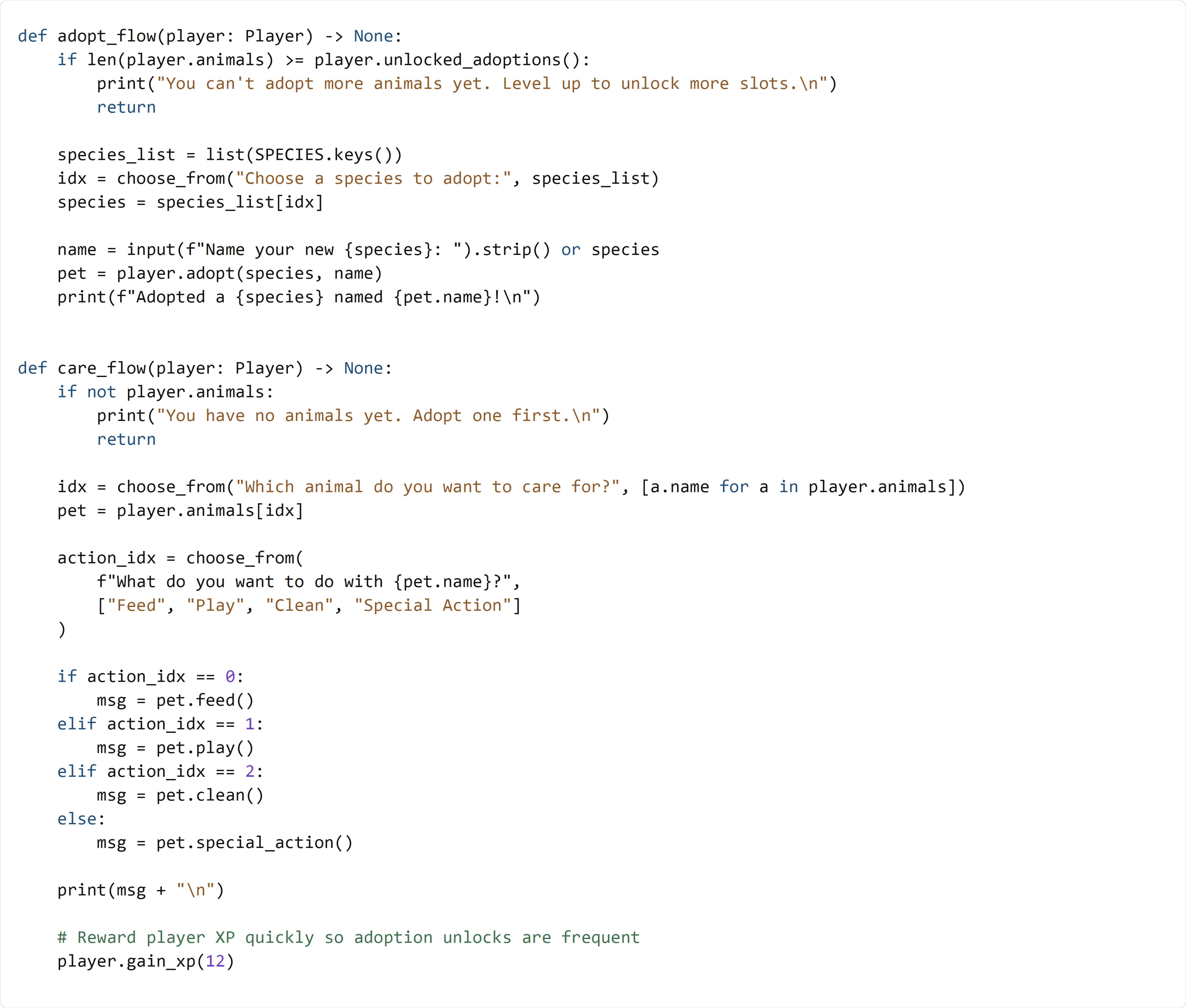
show_dashboard()function - Directly below it, type the following code by hand:
🧠 Code Review & Key Concepts (What important lines do)
Adoption lock check
if len(player.animals) >= player.unlocked_adoptions():
This stops the player from adopting more pets than their level allows.
Species selection
species_list = list(SPECIES.keys())
idx = choose_from("Choose a species to adopt:", species_list)
This builds a menu from the keys in the dictionary and uses the input helper to pick one.
Care action routing
if action_idx == 0:
    msg = pet.feed()
The menu choice controls which method is called, then the result is printed.
🧪 Test File: s12_test.py
✅ Create this file
Create a new file in the same folder as pet_manager.py called:
s12_test.py
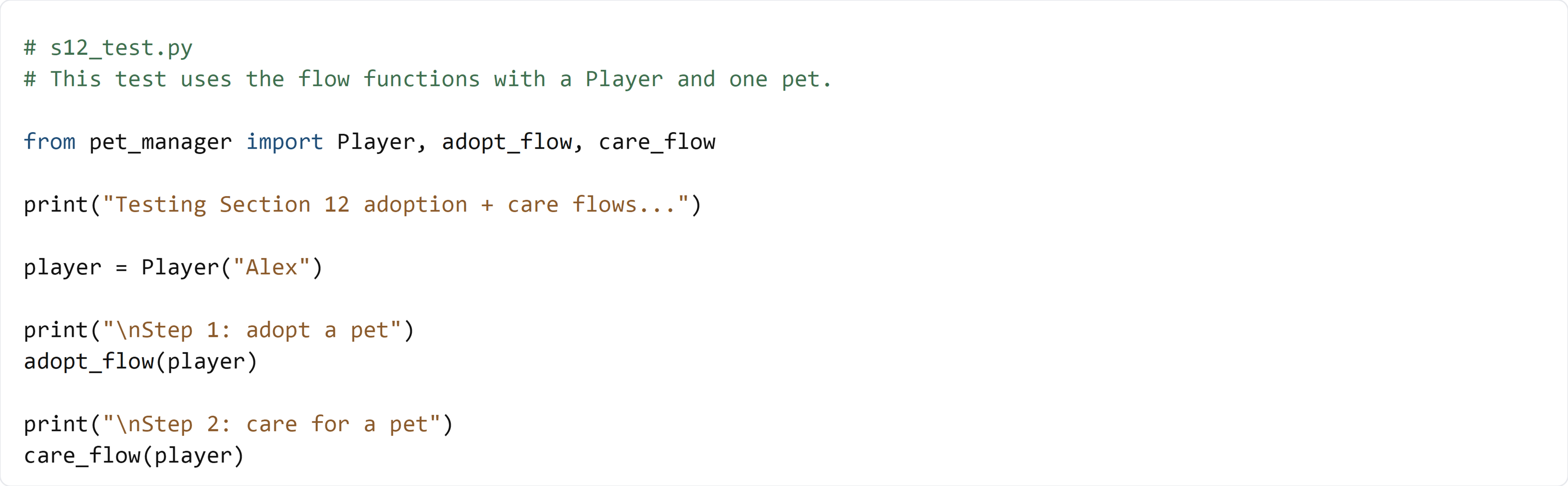
💻 Code to write in s12_test.py
🧠 What this test is doing (and how it works)
- It creates a
Player - It runs
adopt_flow()so you can choose a species and name - It runs
care_flow()so you can choose an action for the pet - You should see the correct messages printed after each choice
✅ Run the test:
python s12_test.py
If you can adopt a pet and perform an action, your flows are working.